
Share an item
- 01
In the web app or the Chromium Extension, open the item and choose Share once, the link icon next to Edit.
- 02
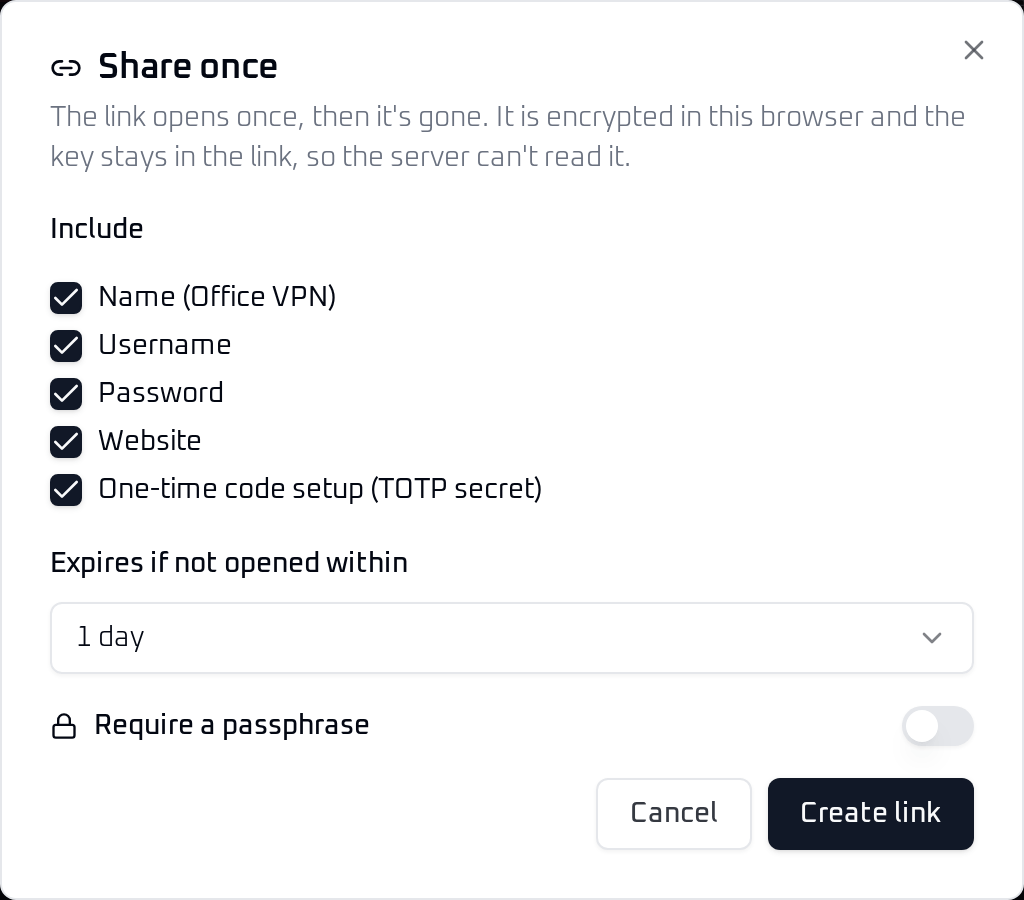
Pick the fields to include. Name, username, password and website are on by default. For an SSH key, the private and public key are on, and the link also carries the key type and fingerprint. Notes, custom fields and the one-time code setup stay off until you turn them on. Passkeys are never shared.
- 03
Choose how long the link waits to be opened: 1 hour, 1 day, 3 days or 7 days.
- 04
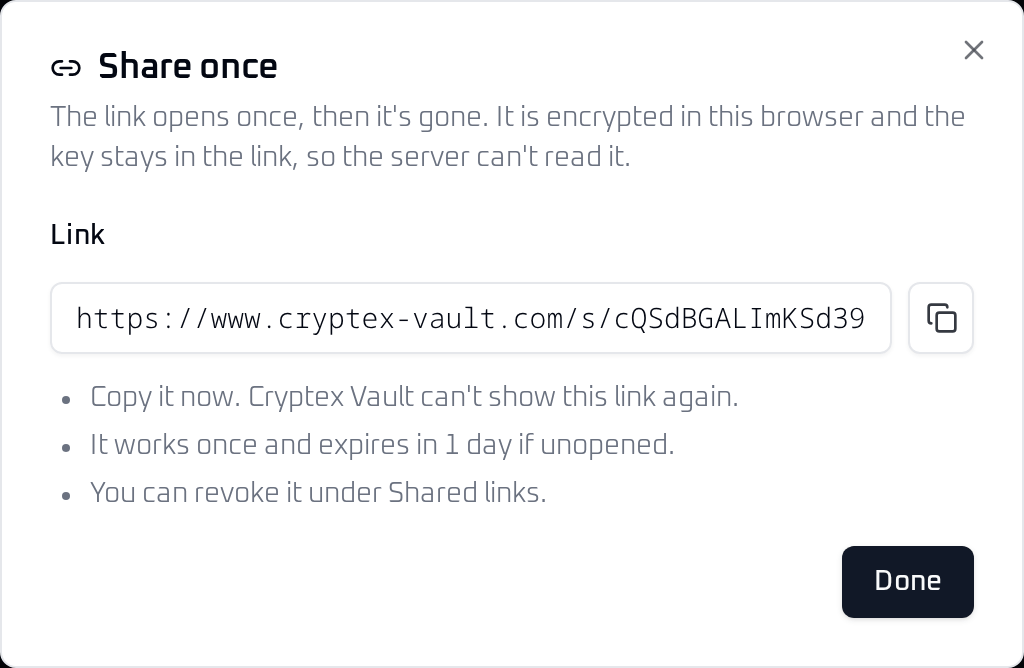
Choose Create link and copy it. Cryptex Vault can't show the same link again.
 View full size
  View full size
 To send something that isn't in your vault, such as a Wi-Fi password or an API key, open Shared Links and choose Share a secret.
Share on Android
Open the item and tap the link icon at the top, next to Edit. The three-dot menu next to it also has Share once. From the vault list, press and hold an item to select it, then choose Share in the selection bar.
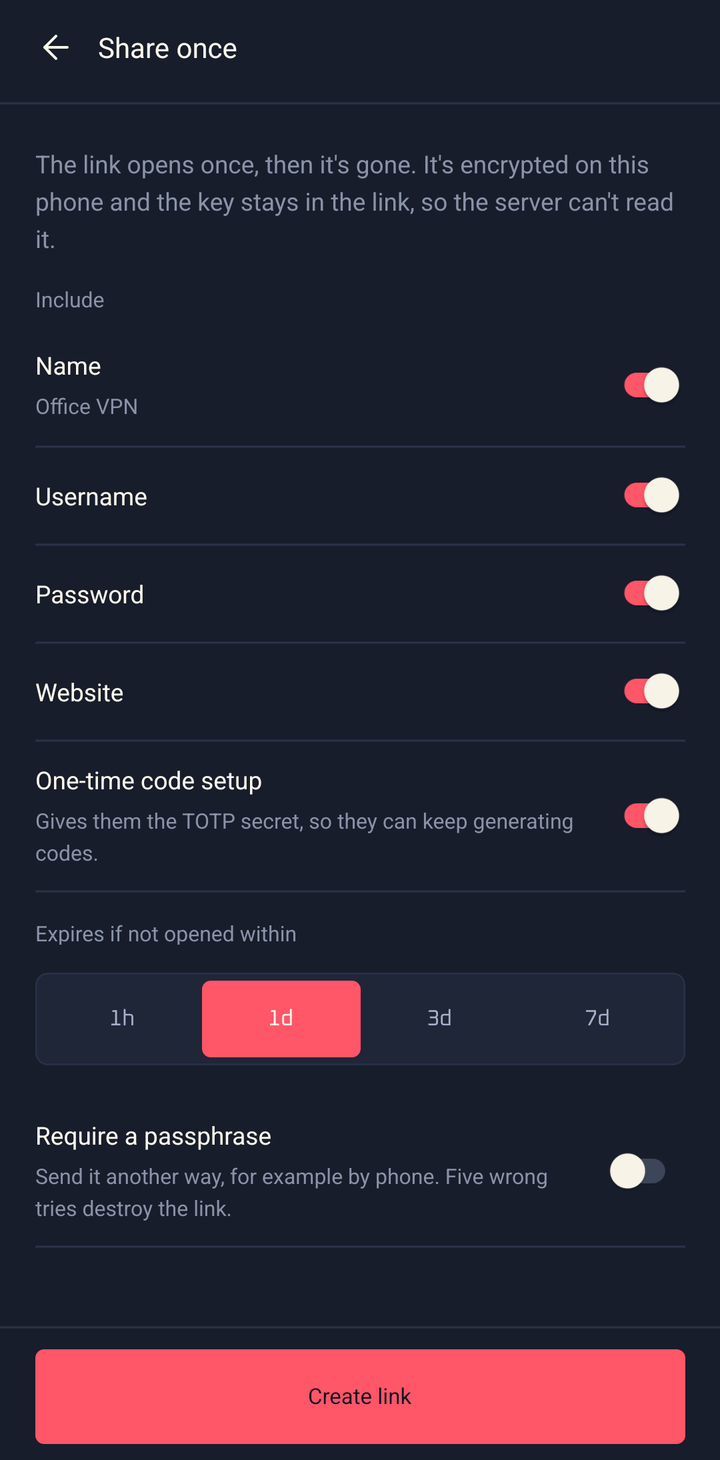
Pick the fields with the switches, choose when the link expires, and tap Create link. Send link opens the Android share sheet, so you can pass the link straight to a chat or mail app.
 View full size
 What the recipient sees
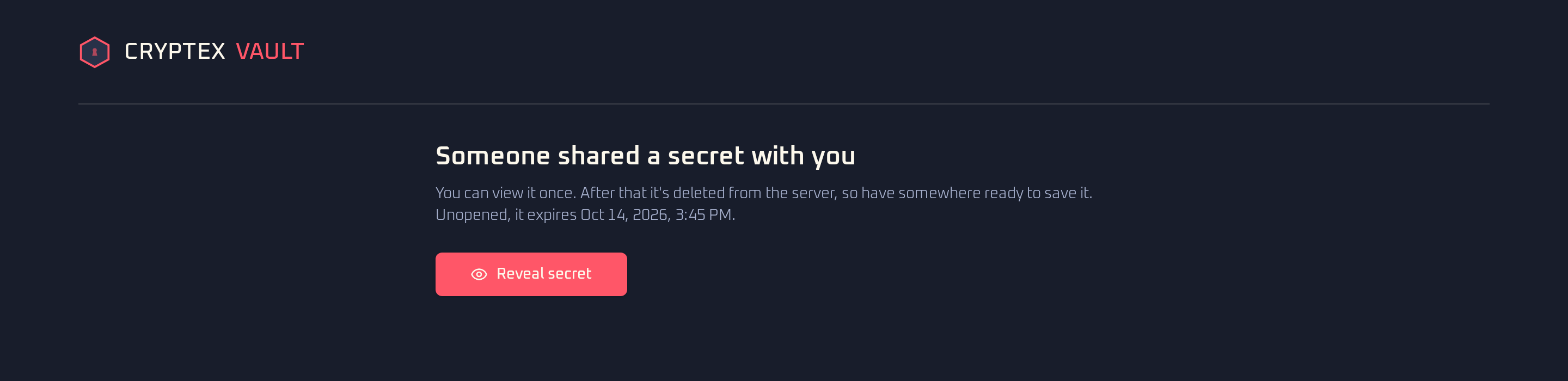
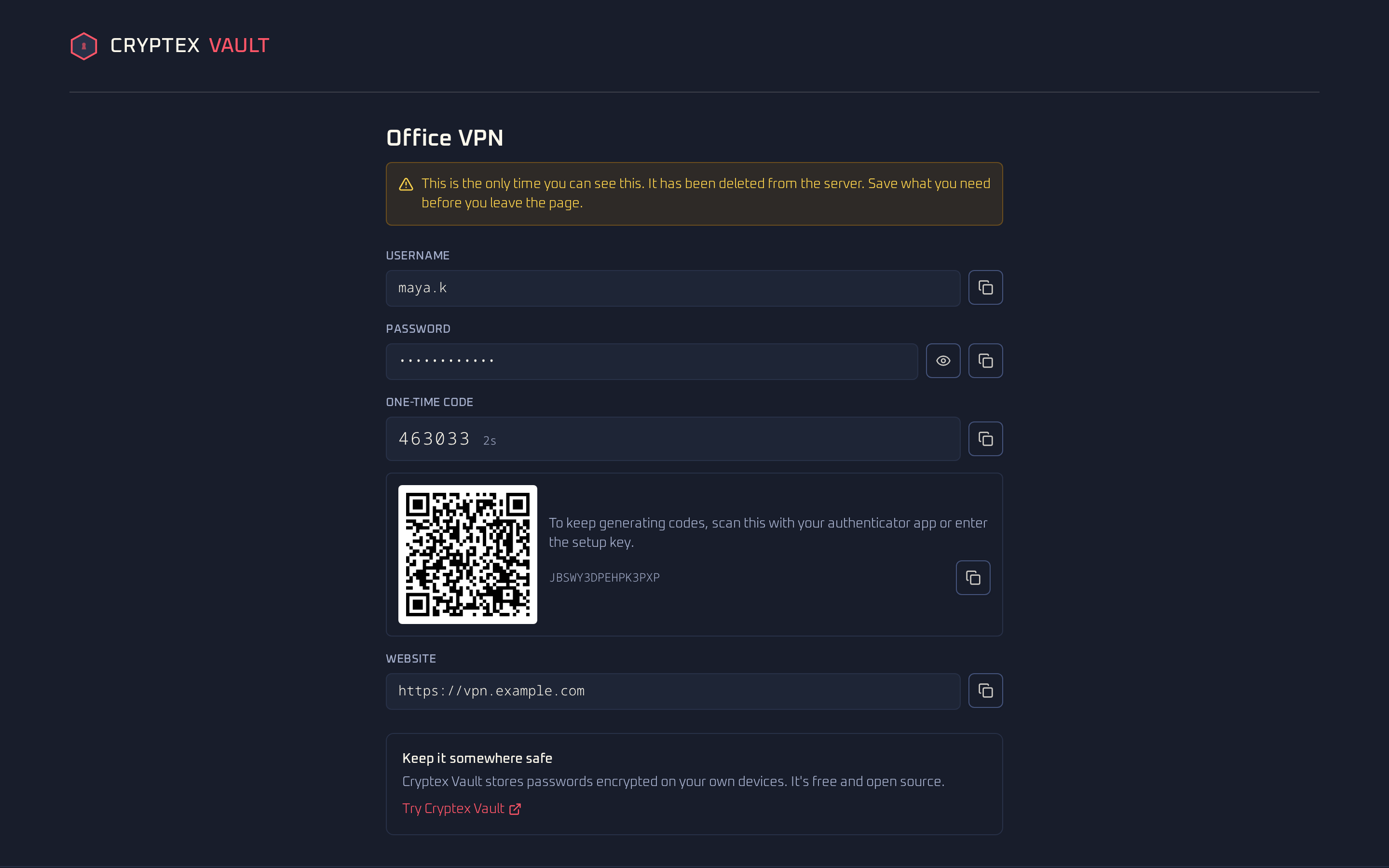
The recipient opens the link in any browser. Until they choose Reveal secret, the page only checks that the link still exists. Chat apps and mail scanners that preview links don't use it up.
 View full size
 After the reveal, the page shows each field with a copy button and removes the key from the address bar. If you included the one-time code setup, the page shows the current code and a QR code they can add to their own authenticator app. Opening the link again shows that it no longer works.
 View full size
 Check and revoke links
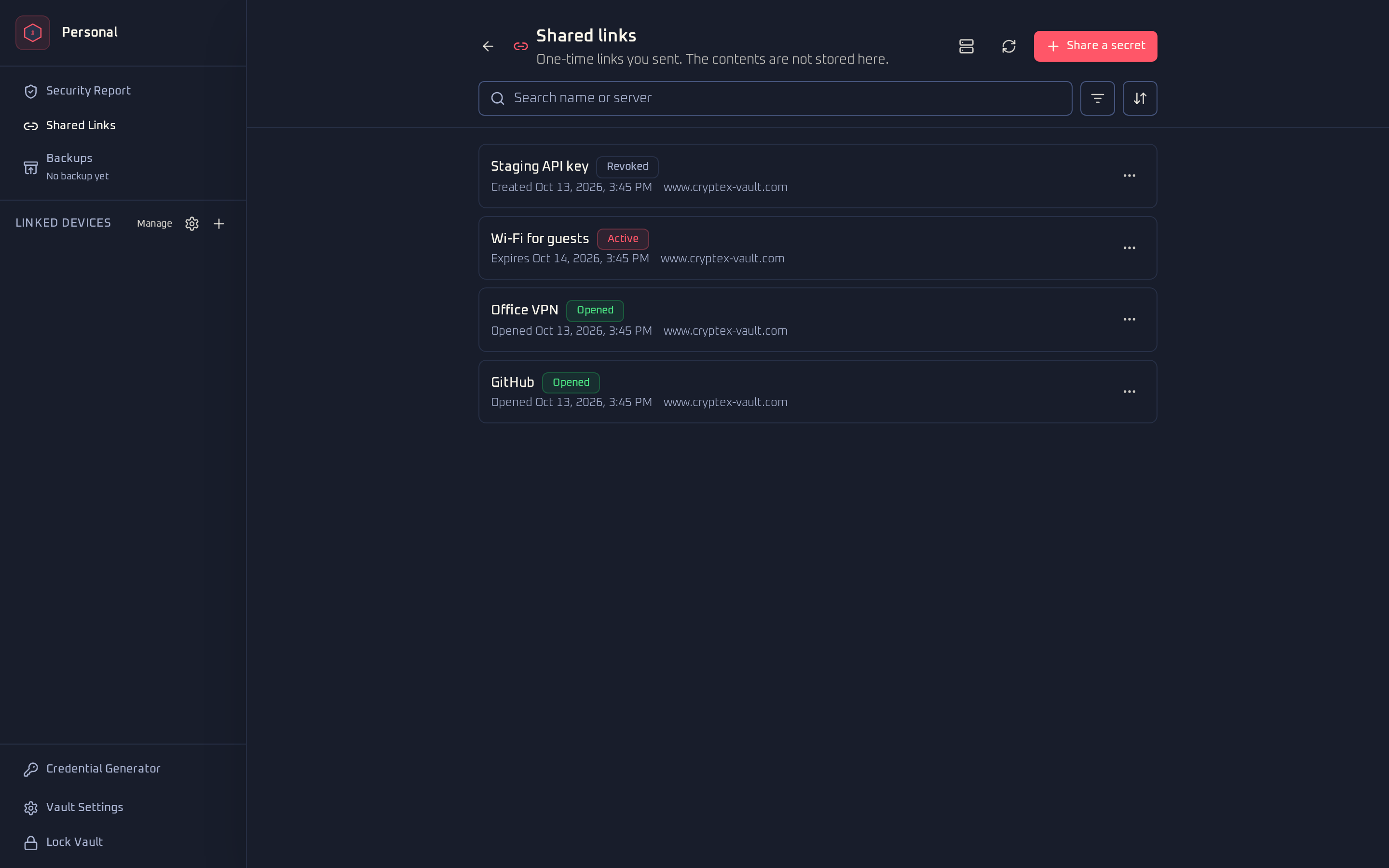
Shared Links lists the links you created. It sits in the web app's sidebar, in the extension's vault actions menu, and under More on Android. A link stays Active until someone opens it, it expires, you revoke it, or five wrong passphrases destroy it. You can search by name or server, filter by one or more statuses, and sort by date, deadline or name. The list syncs to your linked devices.
 View full size
 Each link has a three-dot menu. On Android, tapping the row opens it too. Revoke link stops a link that hasn't been opened yet and deletes its contents from the server, after you confirm. Open item jumps to the vault item it came from. Remove from list only changes your list. If the link is still active, it revokes it first. Finished links leave the list on their own after about 90 days.
What the server sees
Your device encrypts the contents with AES-256-GCM before anything is uploaded. The key is part of the link after the #, and browsers never send that part to a server. The server stores:
- the encrypted contents, until the link is opened, revoked or expires
- hashes of the tokens that let someone open, check or revoke the link
- when the link was created, when it expires, and when it was opened
- a pseudonym for your account, or for the creation token on a self-hosted server, so it can count your open links
On the Cryptex Vault server the pseudonym is a keyed hash of your account, so the share server never receives your account ID or email address. It also doesn't store who you sent the link to, which item it came from, or its label. Those stay in your vault. The server keeps client IP addresses in memory for rate limiting and doesn't log them. The cryptography guide explains how the key and tokens are derived.
Limits
Share links on the Cryptex Vault server are part of Online Services. Each account can have 200 unopened links at a time. A link can hold up to 64 KB and wait up to 7 days. The server forgets a finished link 30 days after it ends. Your list keeps it for about 90.
Use a self-hosted share server
The share server is open source and ships with the self-hosting stack. Its operator hands out creation tokens. Links then point at that server's domain and keep working whatever happens to the Cryptex Vault service.
In the Chromium Extension and on Android, open Shared Links, choose the server icon, and enter the server address and your creation token. A self-hosted web app always uses its own server, so it only asks for the token.